
NJ Small Business Server 2011 Setup and Installation for New Jersey
NJ Small Business Server 2011 Setup and Installation for New Jersey
ICS recognizes that small businesses have many ongoing needs: to better organize and safeguard business information, to communicate effectively and professionally with customers and suppliers.
Windows Small Business Server 2011 (SBS 2011) is an "all-in-one" server solution designed to help you keep your data more secure and your company more productive. It provides enterprise class features -corporate Exchange email,internal websites, remote access, mobile devices support, file and printer sharing, backup and restore & more.
Proposal Request for Small Business Server |
Windows 2011 Small Business Server Technologies:
-
- Microsoft Server 2008R2 Standard The most robust Windows Server operating system to date, Windows SBS 2011 Standard is built on Windows Server® 2008 R2 Standard.
- Microsoft Exchange 2010 SP1 A Messaging program that offers email, calendars, task lists and address books.
- Remote Web Work Place Provide a secure centralized web portal for employees and administrators to access network resources. Users can check their E-mail, Access the Internal Web Site and Connect to their desktops.
- SharePoint Services Foundation 2010 A Collaboration program that allows users to share documents, coordinate calendars, manage group tasks, and participate in discussions regardless of location.
- Microsoft SQL 2008R2 Express A reliable and powerful data management system, SQL Server® 2008 R2 Express delivers a rich set of features, performance for embedded applications, lightweight websites and applications, data protection and local data stores.
NJ Windows Small Business Server 2011 Installation Services Provide:
-
- An Affordable, Integrated Solution
Windows Small Business Server 2011 is designed for small businesses. It brings together the Microsoft® technologies that small businesses need most into a single solution. These technologies are integrated to deliver a comprehensive network at an affordable price. - Protection for Your Business Data Windows Small Business Server 2011 helps protect your vital business information from loss by automatically backing up the PCs and servers in your network and helping enable you to recover accidentally deleted files. Antispam and antivirus technologies help protect your information from malicious attacks, viruses, and spam.
- Grow Your Business Capacity Windows Small Business Server 2011 gives you secure access to business contacts, calendars, email, files, and other important desktop resources from any Internet-connected PC, from virtually anywhere at a time, so you can be productive while you're away from the office or on the road.
- An Affordable, Integrated Solution
ICS is an award winning Microsoft Certified Silver Partner and Small Business Specialist
As a Microsoft Certified Partner, we are experts at managing and deploying Microsoft Windows networks. Our network solutions help you protect your data, increase productivity, and present a more professional image to customers.
Top Ten Reasons to Use Windows Small Business Server 2011:
-
- Get a comprehensive, all-in-one solution. Windows Small business Server 2011 takes the guesswork out of selecting software for your network. It brings together the Microsoft® product technologies that businesses need most into a single solution.
- Stay connected to your customers, vendors, and suppliers. With access to contacts, appointments, and files from any Internet-connected PC or mobile device, you can be responsive to your customers, vendors, and suppliers even when you're not in the office. Access the files you need in real time. Respond to customer inquiries more quickly and accurately. Stay connected while on the road with remote access capabilities from a Windows Mobile® phone.
- Protect your business and prevent data loss. Windows Small Business Server 2011 helps protect your vital business information from loss by backing up the data on your network, enabling you to recover accidentally deleted files. SBS 2011 also enables you to recover data on your network in the event of a disaster. With easy-to-use interfaces, you gain better control of your data, PCs, and network.
- Access business information and resources from virtually anywhere at any time. Be productive whether you're in the office, at home, or on the road. Windows Small Business Server 2011 gives you secure access to business contacts, calendars, email, files, your desktop, and even share resources from any internet-connected PC, from virtually anywhere at any time.
- Increase your business capacity. Streamline business processes and improve day-to-day efficiency with Windows Small Business Server 2011. It helps automate daily processes by providing a central repository for storing and sharing information more easily - and helps simplify communications with familiar Microsoft technologies.
- Stay safe with antispam and antivirus protection. Windows Small Business Server 2011 offers antispam and antivirus technologies to help protect your business information and your intellectual property from malicious attacks, viruses, and spam.
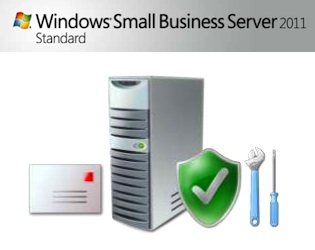
- Keep your network healthy and up-to-date. Windows Small Business Server 2011 provides you with the latest updates to minimize downtime and help ensure network health by keeping your PCs and servers current. Easy-to-read "green check" reports give you a quick view of Microsoft software updates, PC and server status, antivirus status, and backup progress.
- Take advantage of powerful technologies designed and priced for small businesses. Windows Small Business Server 2011 includes multiple technologies optimized specifically for small businesses - at an affordable price. It enables you to share resources and equipment, such as Internet access, printers, and fax machines, so you get the most value from your technology investment.
- Get the flexibility and salability you need. As your business needs change, Windows Small Business Server 2011 enables you to grow. You can easily add users, servers, and applications. It supports your critical line-of-business applications and is designed to integrate with your existing Microsoft technology.
- Create a bigger presence in the market. Differentiate your business and present a more professional image to prospects and customers. Windows Small Business Server 2011 offers email marketing capabilities, business websites, and tools for creating your own website.
Top Ten Reasons to Upgrade to Windows Small Business Server 2011
Enjoy updated component technologies, increased data protection, and new tools to help you grow your business capacity.
-
- Newest releases of all the SBS 2011 technology components, designed together for an optimal experience for small businesses
- Vastly improved support for line-of-business applications
- Updated, easier-to-use management console now organized by business tasks
- Streamlined setup and deployment to reduce the cost of deploying and maintaining your network
- Updated antispam protection for improved security
- New disaster recovery capabilities with PC and server backup and recovery
- Redesigned monitoring and reporting features for PC, server, and even antivirus status
- Streamlined interface for remote access capabilities to easily access email, contacts, calendar, desktop resources
- Improved internal company website capabilities for better list management, plus wikis and blogs
- Integration with Microsoft Office Live Small Business for everything you need to promote, and manage a business on the Internet



Why Choose Us?
- Microsoft Certified Cloud AI Partner
- SOC II Certified Managed Service Provider
- Google 5 Star Rated Business
- 24/7 US Based Technical Team
- Better Business Bureau A+ Rated
Schedule an IT Discovery Call


About Us:
- 200+ 5-Star Google Rated IT Firm
- Microsoft Certified Cloud AI Partner
- SOC II Certified Managed Service Provider
- Better Business Bureau A+ Rated
